
What you see in the admin
Reviews appear only after you approve them
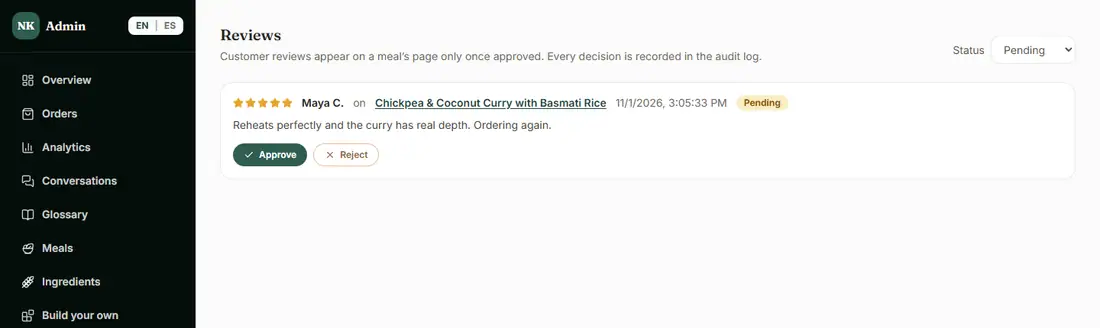
Customers rate and review a meal. A review shows on that meal's page only after you approve it, and every decision is recorded in the Audit Log.
Reviews and customer feedback
Customers rate meals, you approve what shows on your menu, and a short survey after each delivery tells you how the week really went.
I get great feedback in DMs and then it disappears. And the one bad week I only hear about when somebody cancels.
I would like reviews on my menu without strangers posting whatever they want, and a quick pulse after every delivery.
Real screens from the live demo, with sample data only.
What you see in the admin
Customers rate and review a meal. A review shows on that meal's page only after you approve it, and every decision is recorded in the Audit Log.
What your customer sees
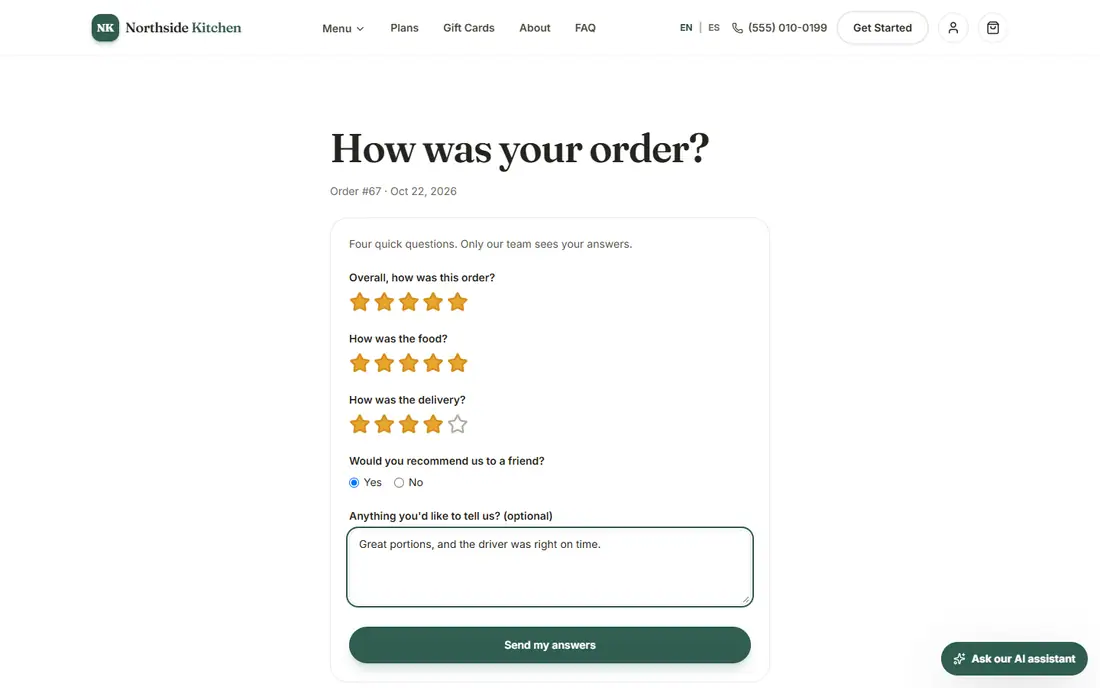
Once an order is delivered or picked up, its customer can answer four quick questions: overall, the food, the delivery or pickup, and whether they would recommend you, with an optional comment. One answer per order, and only you see it.
What you see in the admin
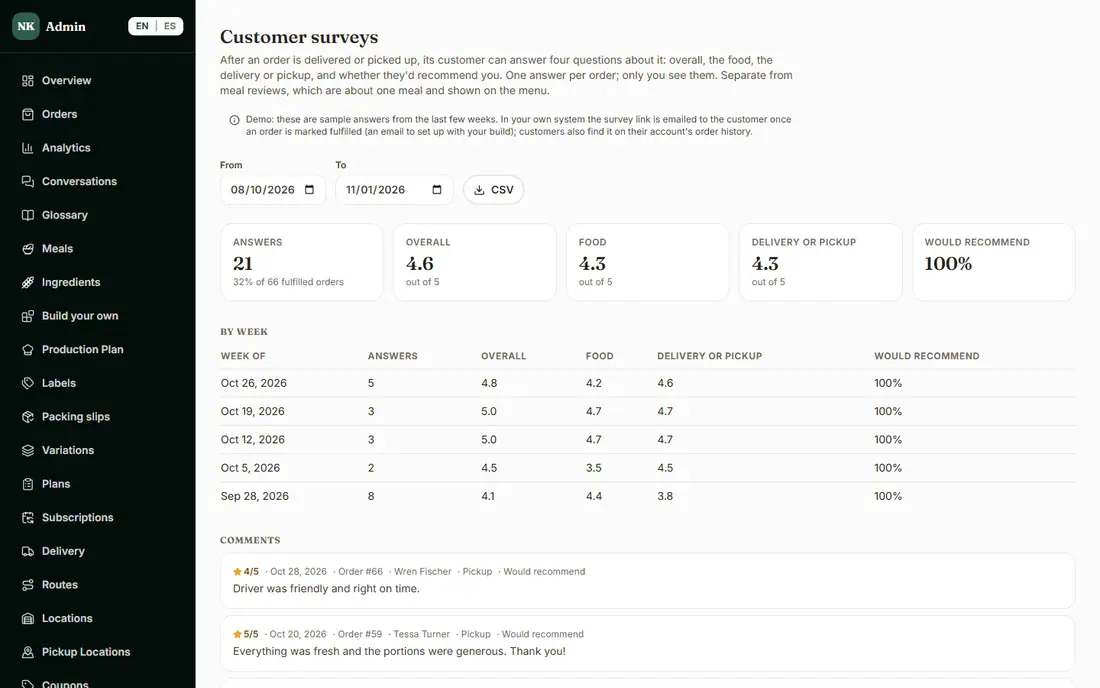
Pick your dates and see how many answered and the response rate, the average ratings for overall, food and delivery or pickup, the share who would recommend you, the same by week, and every comment with its order and customer. A CSV downloads one row per answer. Surveys are separate from meal reviews.
Each plan includes everything in the plans before it.
Customers rate meals; you approve what shows on the menu.
In Basic and aboveA short survey after each order.
In Advanced and aboveApproved reviews on a meal's page help someone who has never ordered pick with more confidence.
Delivery and pickup ratings by week show where a week slipped, before it becomes a cancellation.
Reviews tell you which meals customers rave about, so your menu follows what they like.
These links open the exact screens in the live demo, in a new tab. Nothing in the demo is real: no payments, no emails, no customers.
Admin links ask you to click Sign In once. The demo fills in the sample login for you.
Yes. A review appears on a meal's page only after you approve it, and you can reject it instead.
On your own site we set up the email that links the survey after delivery, and customers also find it in their order history. The link works only for the customer who placed the order.
Only you. Customers answer once per order, and the answers are separate from the public meal reviews.
Yes. The surveys page has a CSV that downloads one row per answer for the dates you choose.
Reward points, referrals, gift cards and coupons that bring customers back and bring friends.
Analytics, repeat rate and churn, CSV exports and a sales tax report.
A customer chat assistant with a Conversations page, food photo styling, and Trend Finder for new meal ideas.
We set it up for you and move your existing customers over. Call us or talk to Alex, and we will show you how it would work for your business. You can also read the demo guide first.