
Meal Prep Ordering System
Meal-Prep Ordering Demo: Walkthrough Guide
A page-by-page tour of the live demo storefront and admin area, so you can see what your customers and your staff each get.
What's inside: every storefront page your customers use and every tab of the admin area your staff works in, from the weekly menu to checkout, weekly plans, build-your-own meals, referrals, delivery and pickup, labels and packing slips, inventory, surveys, exports, gift cards, the customer AI chat assistant and its Conversations page, food photo styling and Trend Finder, in English and Spanish, plus the three plans and how to turn features on in Settings > Features.
What you can try in the demo
Start with "Try it with your brand" to see the whole site with your name, logo and colors. The demo opens in English; the EN | ES switch at the top shows it all in Spanish.
As a customer
- Browse the weekly menu and filter it by allergens, category and calories
- Ask the AI assistant about the menu in your own words, get meals with your prices, and pass a question to the kitchen (it answers from the sample menu, points allergy questions to the kitchen, and each visitor gets a few questions a day)
- Build your own bowl and watch its calories and macros change as you pick, or choose a size and add-ons on a meal
- Order a bundle of meals, and see the minimum order and per-meal minimums at the cart
- Start a weekly plan, then skip a week, pause, change your meals per week or cancel, all from My Plan
- Check out for delivery by ZIP code, or choose a pickup spot (the demo takes no real payment)
- Buy a gift card (the demo shows the code instead of charging or emailing it)
- Add the store to your phone's home screen and open it like an app
- Copy your referral link from your account page, and answer the short survey on a delivered order
As the owner
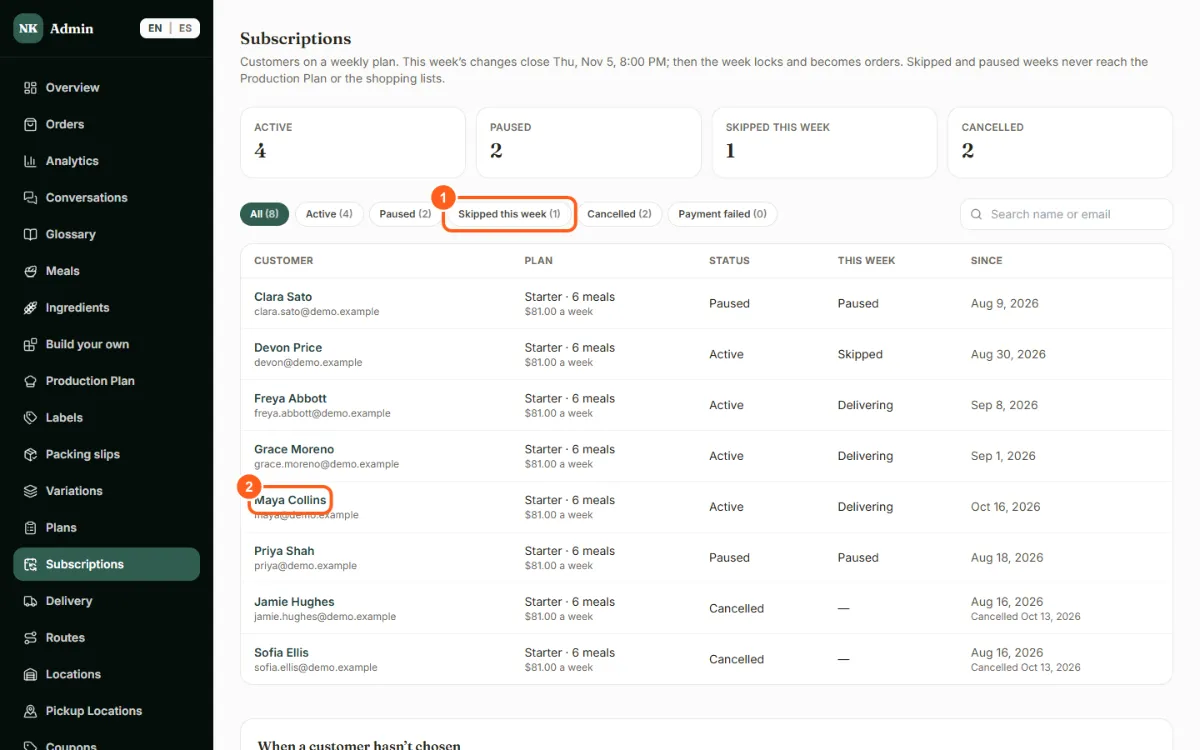
- See every subscriber and what they're doing this week: delivering, skipping or paused
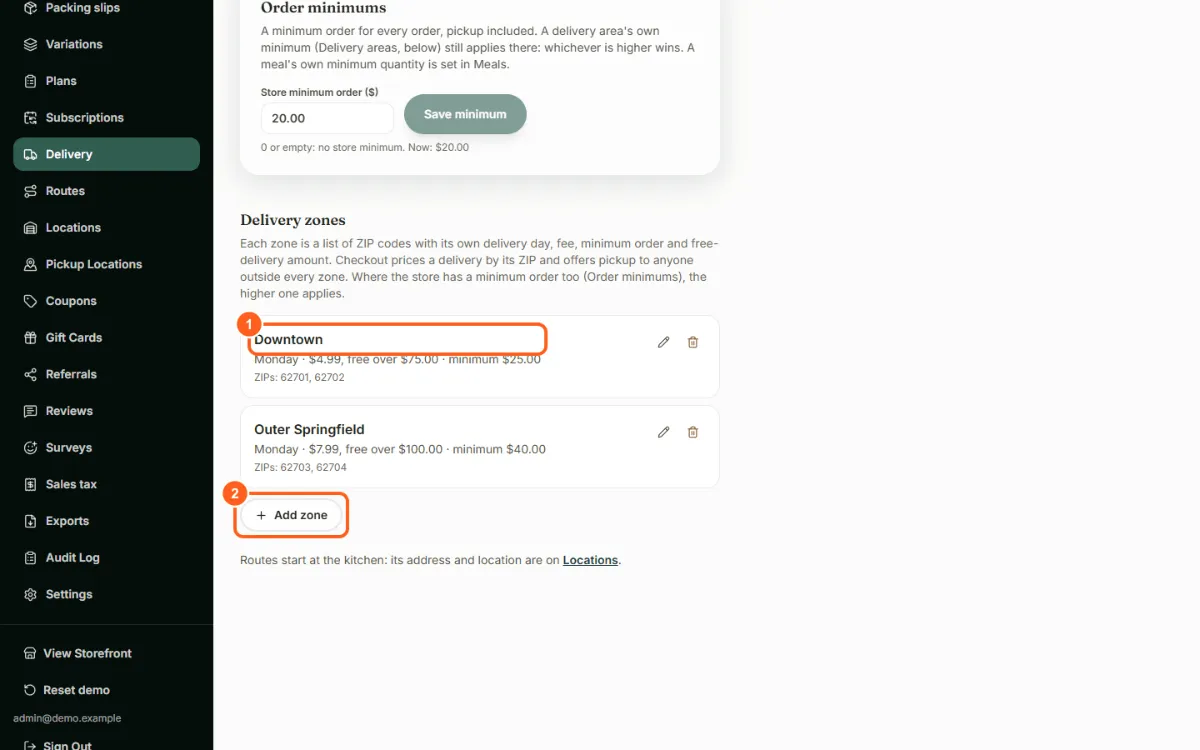
- Set your ordering deadline and delivery days, and delivery zones by ZIP code, each with its own fee, minimum order and free-delivery amount
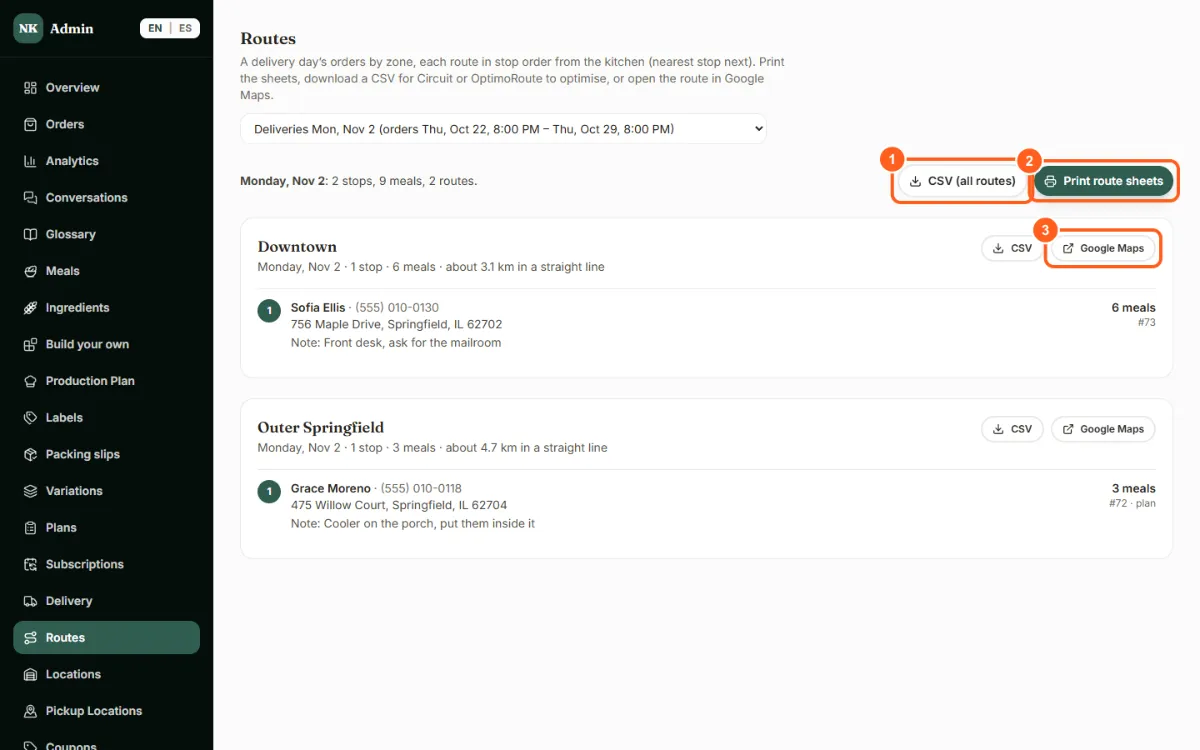
- Print a delivery day's route sheets, grouped by zone and in stop order
- Print meal labels generated from your own meal data (nutrition, ingredients, allergens) for you to review before use
- Print packing slips for each order, with use-by dates from your own shelf-life settings, for you to review
- Check stock at each kitchen, record a delivery or waste, and mark the week cooked to take its ingredients off stock
- See which sizes and add-ons sell, referral rewards, survey results and the sales tax report, and download CSV exports
- Manage pickup spots, coupons and gift cards
- Run more than one kitchen: choose the "Established" sample business in the brand panel to see two
- Choose the food photo styling your AI meal photos follow: lighting, camera angle, plate, background, color and garnish
- Ask us to show AI photos live on a walkthrough call: a style guide written from your menu's photos, then a photo of a dish with garnish only from its recipe, checked against its ingredients and allergens, waiting for your approval (each is a paid call, so they're off for visitors)
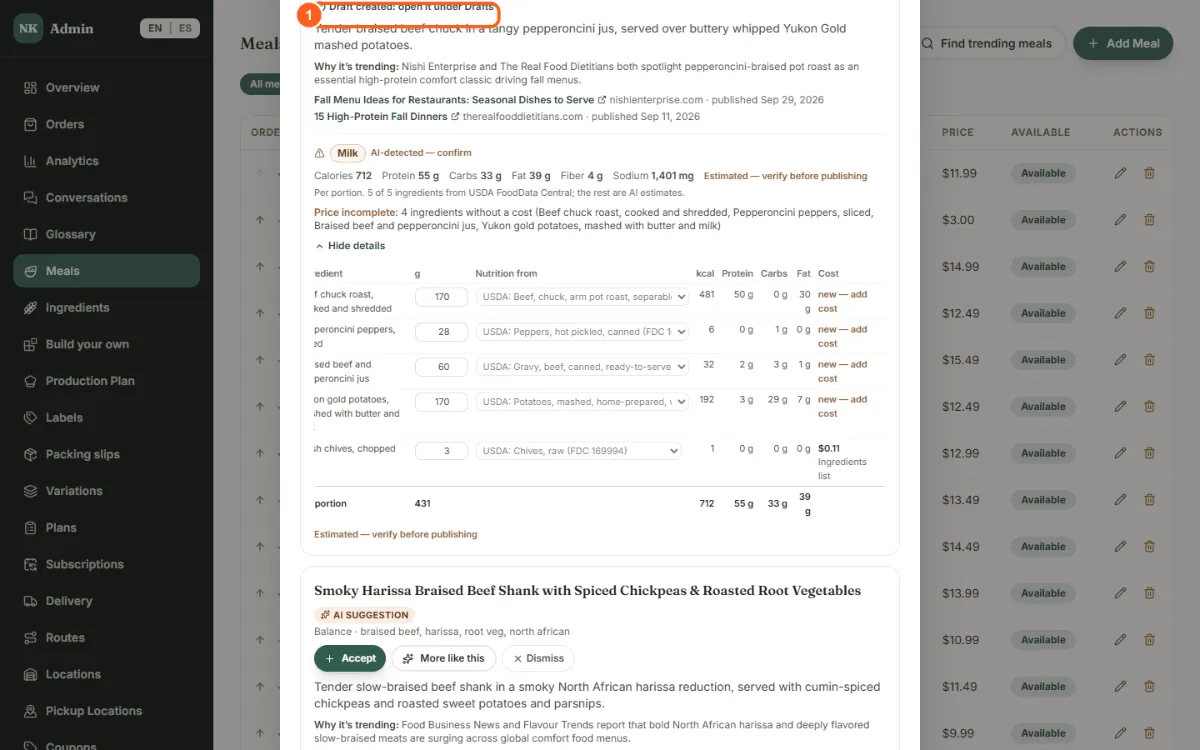
- Use Trend Finder to turn a trending dish into a hidden draft meal, with its recipe, nutrition and price, for you to review and publish
- Read the Conversations page: what customers asked the assistant, what it couldn't answer, and the questions passed to the kitchen
- Turn features on or off in Settings > Features, see what each plan (Basic, Advanced, Pro) includes, and see who would be emailed when you pause weekly-plan billing
- Ask us to show the demo as each plan on a call: the same store and admin area with only that plan's features
A look inside the demo
Done for you
We set it up for you, with your menu, plans, delivery zones and branding, and move your existing customers over. Built for small and mid-sized meal prep businesses in Florida and Georgia, with support in English and Spanish.
Want us to walk you through it?
Call (904) 822-8929. If Chuck can't pick up, Alex, our AI assistant, answers. Or click Let's Talk to start a call from your browser.