Reports and insights

Meal Prep Analytics: Repeat Rate, Churn, CSV Exports and Sales Tax Reports

See sales, your best-selling meals, repeat customers and churn, and download your data as CSV for your accountant, any time.

The problem

When I wonder whether the business is growing, or tax time comes, I am in spreadsheets. I could not tell you my repeat customers, who is leaving, or which meal really sells best.

I want the numbers where I run the business, explained in plain words.

How it works

Real screens from the live demo, with sample data only.

What you see in the admin

Analytics, in plain words

Revenue, orders, customers and your best-selling meals, week by week and month by month. Further down: weekly-plan subscribers, skips, pauses and cancellations by week. Tiles for repeat rate and churn each have a What this means link to a glossary that explains every number.
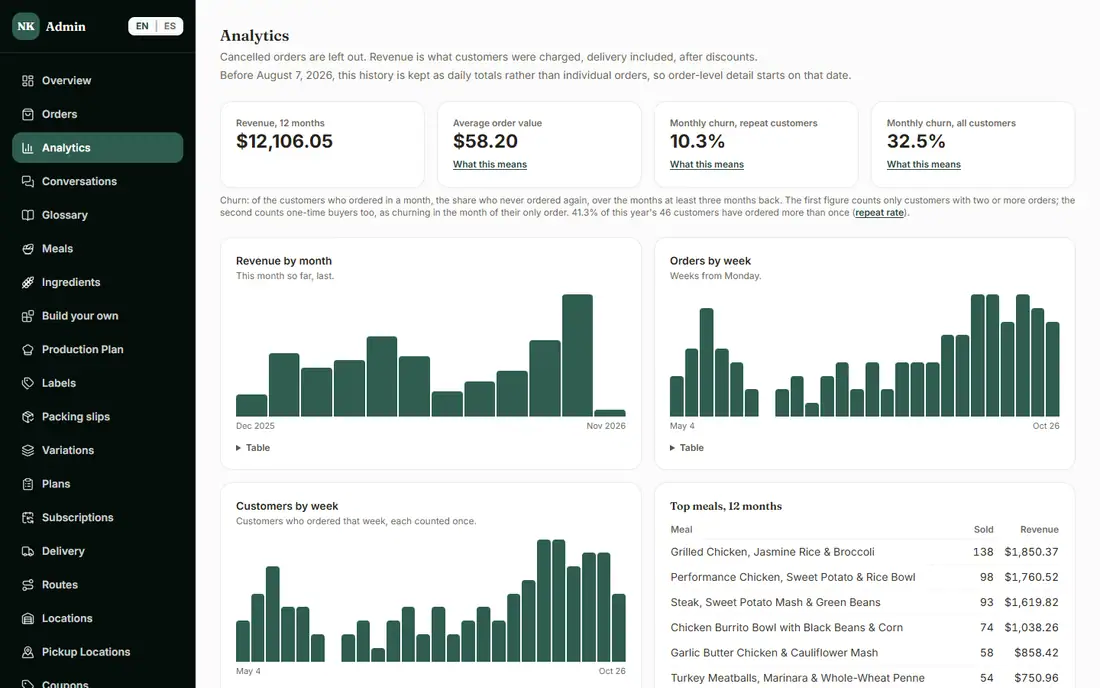
The admin Analytics page with revenue, orders, churn and top meals
Analytics. Sample data from the demo.

What you see in the admin

Your data as CSV, any time

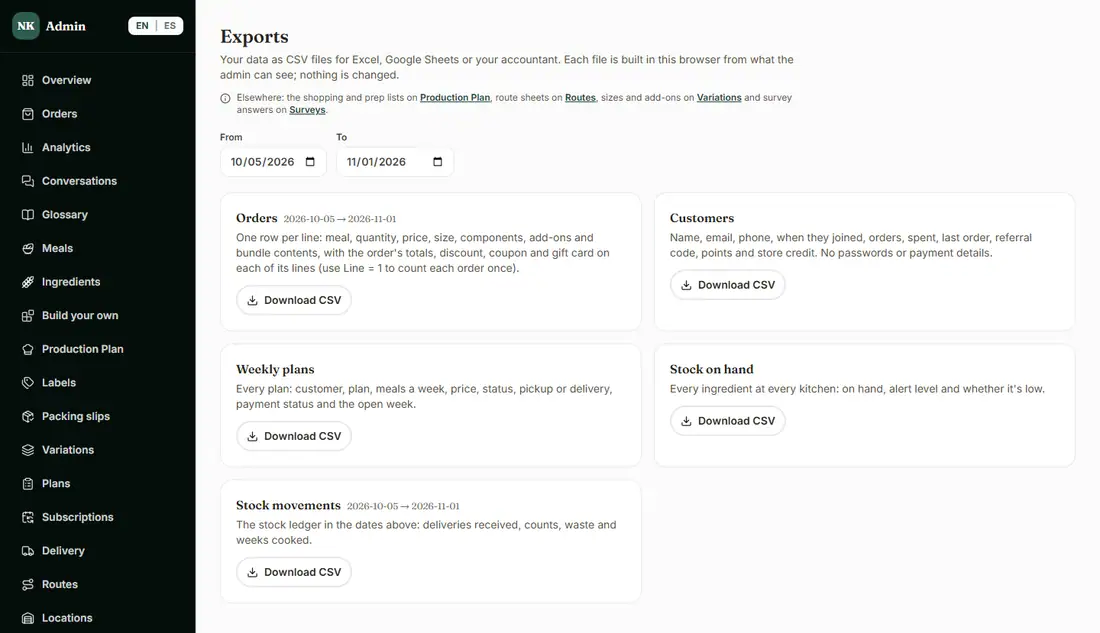
Download orders (one row per meal line), customers, weekly plans, stock on hand and stock movements as CSV files for Excel, Google Sheets or your accountant. Exporting changes nothing, and the customers file has no passwords or payment details.

The admin Exports page with CSV downloads
Exports.

What you see in the admin

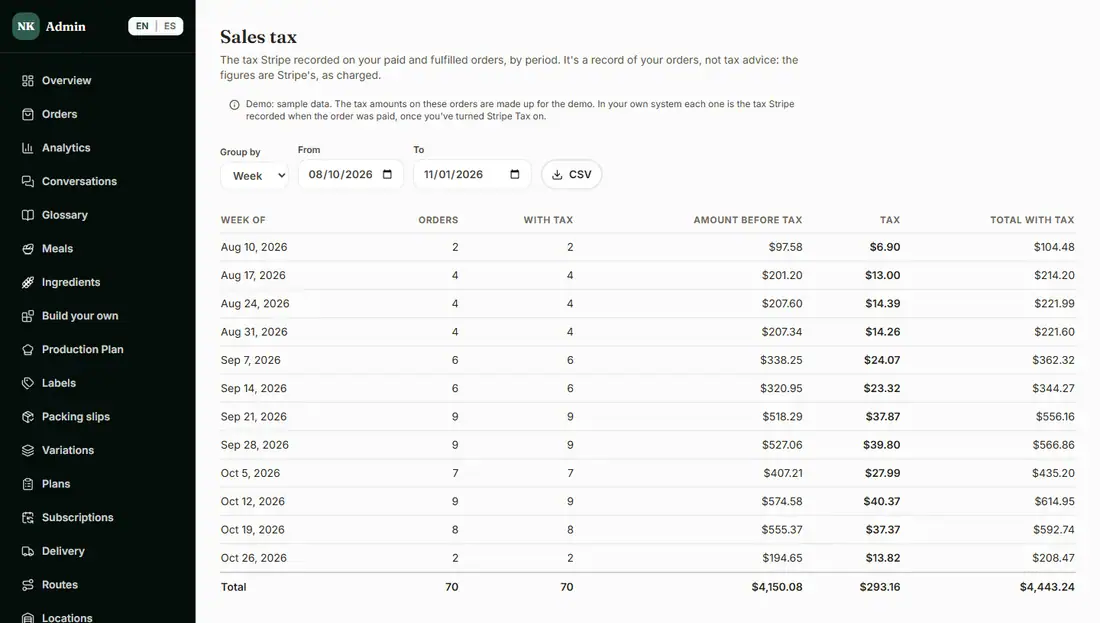
A sales tax report from what Stripe recorded

A record of the tax Stripe recorded on your paid and fulfilled orders, by day, week or month, with totals and a CSV. The system does not work out tax itself: with Stripe Tax turned on in your Stripe account, each order's tax is kept as Stripe charged it. It is a record of your orders, not tax advice. The amounts in the demo are made-up sample data.

The admin Sales tax report by week
The sales tax report. Made-up sample data.

What is included, and in which plan

Each plan includes everything in the plans before it.

  • Exports and reports

    CSV exports and the sales tax report.

    In Basic and above
  • Analytics

    Sales, top meals and customer trends, with a glossary of the numbers.

    In Advanced and above

How it helps you grow

  • More repeat customers

    Repeat rate, churn and the weekly skips, pauses and cancellations show when regulars start to drift, so you can reach out while it still matters.

  • Decide what to cook and what to drop

    Top meals over the last twelve months tell you what to keep, push or retire.

  • Less admin time at tax time

    The sales tax record is already grouped by week or month, and your accountant gets the CSV instead of a pile of screenshots.

Try it in the demo

These links open the exact screens in the live demo, in a new tab. Nothing in the demo is real: no payments, no emails, no customers.

Admin links ask you to click Sign In once. The demo fills in the sample login for you.

Questions owners ask

What do repeat rate and churn mean here?

Repeat rate is the share of this year's customers who have ordered more than once. Churn is, of the customers who ordered in a month, the share who never ordered again, counted for months at least three months back. The glossary in the admin explains both with examples.

Does the system calculate sales tax?

No. With Stripe Tax turned on in your Stripe account, each order's tax is kept as Stripe charged it, and the report lists it by day, week or month. It is a record of your orders, not tax advice.

Can my accountant use the exports?

Yes. Orders, customers, weekly plans, stock and the sales tax report all download as CSV files that open in Excel or Google Sheets.

Can I take my customer list with me?

Yes. Your customer and order data always belongs to your business, and you can export it at any time.

Related features

All features →

Want to see it with your menu?

We set it up for you and move your existing customers over. Call us or talk to Alex, and we will show you how it would work for your business. You can also read the demo guide first.