Getting started

Done-for-You Meal Prep Ordering Setup and Customer Migration

We set it up for you, move your menu and customers over, and put it on your own domain and your own Stripe account. You do not have to learn software or start from zero.

The problem

I do not have time to learn new software, set up payments and move my customers over, and I am afraid of losing people in the switch.

I also do not want to hand my customer list and my business to a platform that charges me on every order.

How it works

Real screens from the live demo, with sample data only.

What we do for you

A free intro call

We talk about your menu, how you take orders today and what you would like to change. You can try the demo first with your own name, logo and colors: the Try it with your brand panel shows the whole site as yours.
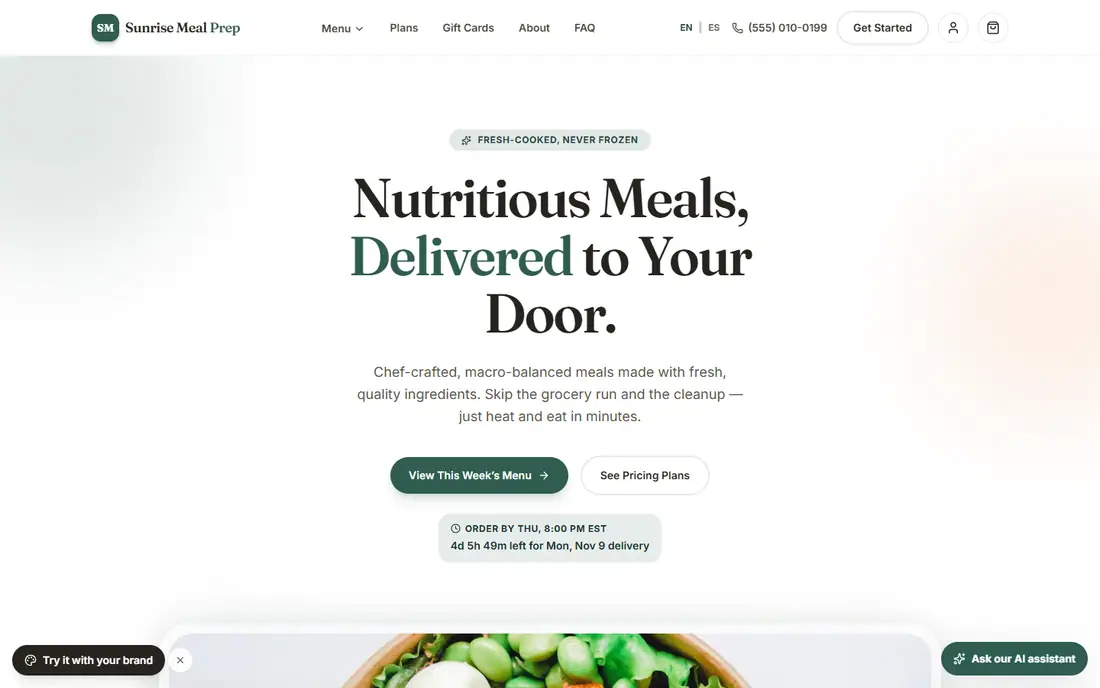
The demo storefront with a different business name and colors
The demo with a business name and colors changed in the brand panel.

What we do for you

We set it up for you

We configure your name, logo and colors, your menu, your delivery zones and days, your plans and your payments, so you start with a working store instead of an empty one.

What we do for you

We move your customers and your menu

During setup we move your existing customer and menu data for you, from spreadsheets and other systems. A menu in an online store export can be imported directly. Nutrition and allergens that are not in the export are flagged for you to fill in, never guessed. Your customers keep ordering from you without interruption, and we plan the switch-over date with you.

What you see in the admin

Turn features on as you grow

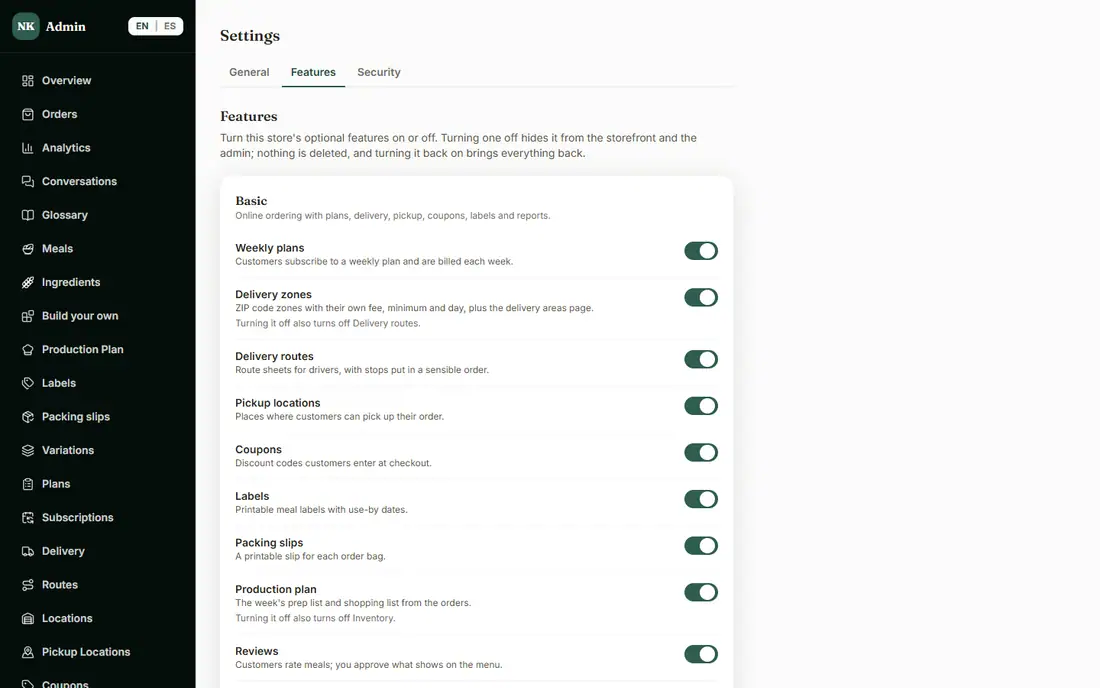
There are three plans, and we set yours. In Settings > Features you choose which of its features are on, so you can start simple and turn more on when you are ready. Turning one off never deletes its data.

The admin Settings Features tab with switches grouped by plan
Settings > Features, grouped by plan.

What we do for you

It stays yours

Your customer and order data, your domain name and your Stripe account are in your name, and you can take them with you at any time. Payments go to your own Stripe account, and there is no per-order platform fee from us.

The three plans

Each plan includes everything in the plans before it.

  1. Basic

    Online ordering with plans, delivery, pickup, coupons, labels and reports.

  2. Advanced

    Everything in Basic, plus custom meals, bundles, gift cards, rewards, inventory and analytics.

  3. Pro

    Everything in Advanced, plus the AI tools and more than one kitchen.

How it helps you grow

  • Switch without losing customers

    We plan the switch-over date with you, and your customers keep ordering from you while we move things.

  • Less admin time from day one

    You are not learning a new system on top of running a kitchen. We do the setup and the move.

  • A business you own

    Your customer list, your domain and your payment account stay in your name, so you can grow without being locked in.

Try it in the demo

These links open the exact screens in the live demo, in a new tab. Nothing in the demo is real: no payments, no emails, no customers.

Admin links ask you to click Sign In once. The demo fills in the sample login for you.

Questions owners ask

Who sets it up?

We do. We are based in Jacksonville, Florida, and we work with small and mid-sized meal prep operators in English and Spanish. You tell us how your business works, and we configure the system for it.

Can you bring my customers and menu over?

Yes. We move your existing customer and menu data during setup, from spreadsheets and other systems. Nutrition and allergens that are missing are flagged for you to fill in, never guessed, and we plan the switch-over date with you.

Do I own my data, my domain and my Stripe account?

Yes. They are in your name from the start, and you can export your data and take them with you at any time.

Is there a fee on every order?

There is no per-order platform fee from us. Stripe's own processing fees apply to card payments, as they would anywhere.

How do I get started?

Call (904) 822-8929 or talk to Alex from the button on this page. You can also read the demo guide first.

Related features

All features →

Want to see it with your menu?

We set it up for you and move your existing customers over. Call us or talk to Alex, and we will show you how it would work for your business. You can also read the demo guide first.