Bilingual storefront and installable app

Bilingual Meal Prep Website in English and Spanish, Installable on a Phone

Your store and your admin area in English and Spanish with a one-tap switch, and a store customers can add to their phone's home screen like an app.

The problem

A lot of my customers would rather order in Spanish, and nearly all of them order from their phone. I do not want two websites, and I do not want to pay for an app that has to be approved by an app store.

How it works

Real screens from the live demo, with sample data only.

What your customer sees

One tap between English and Spanish

Customers switch with EN | ES at the top of any page, and the whole storefront changes. Their choice sticks, and a link that ends in ?lang=es opens the store in Spanish, so you can send it straight to a Spanish-speaking customer.
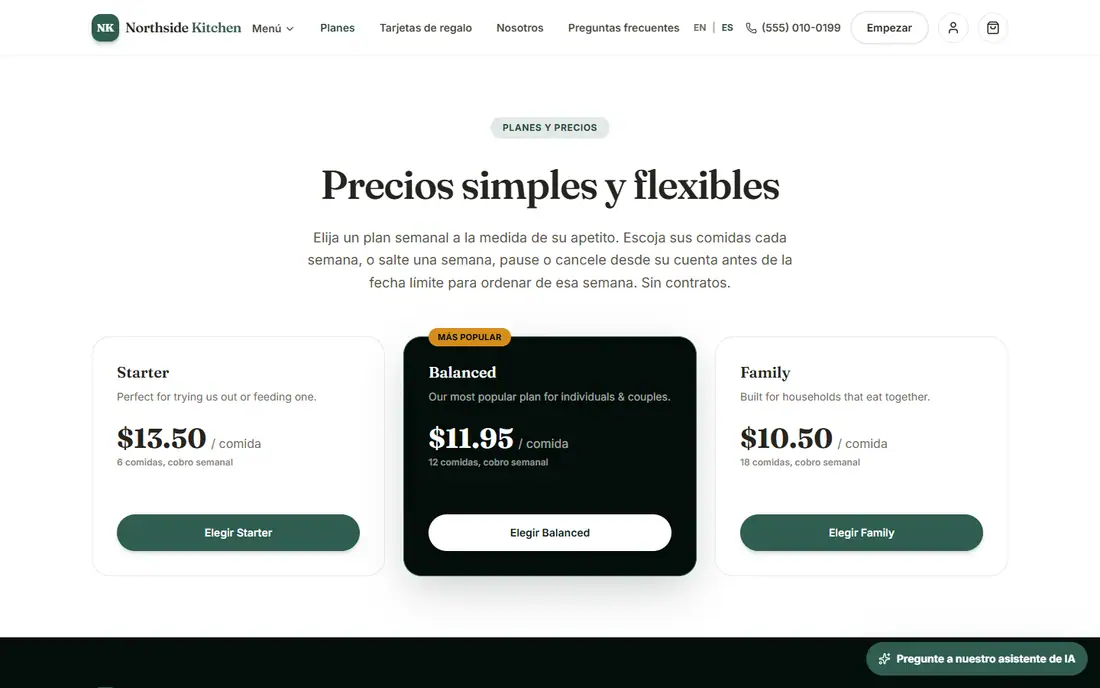
The plans page of the demo storefront in Spanish
The same plans page, in Spanish.

What you see in the admin

Your admin in both languages too

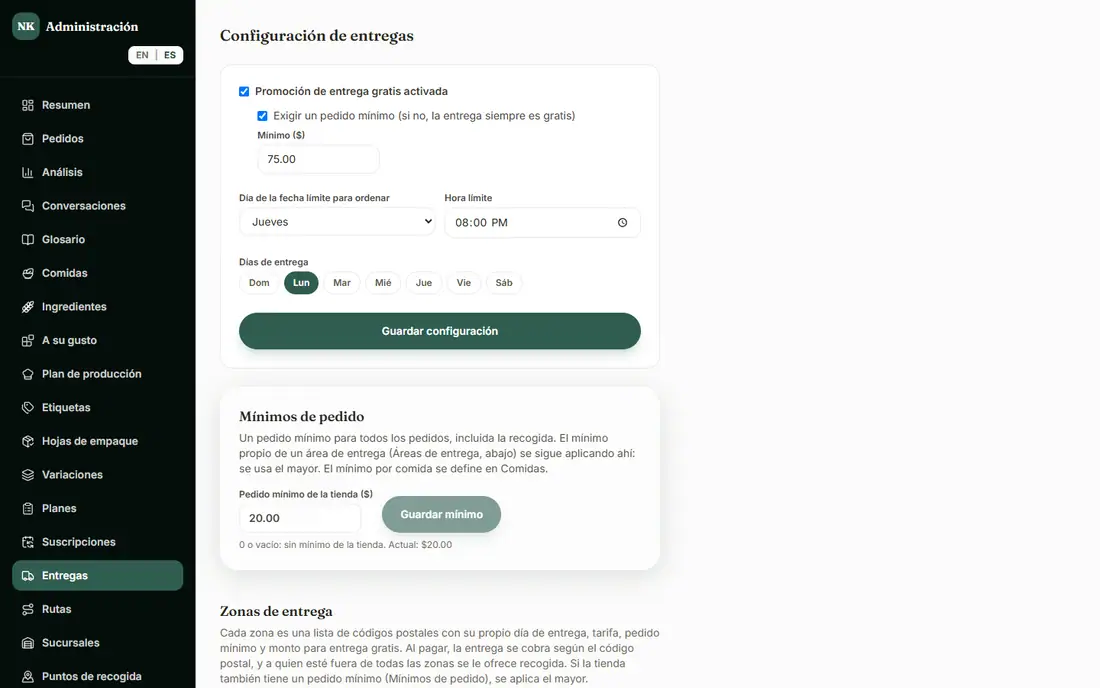
The admin has its own EN | ES switch, so your staff can work in the language they are most comfortable in. The billing-change emails to customers go out in each customer's language.

The Delivery page of the demo admin in Spanish
The admin Delivery page, in Spanish.

What you see in the admin

You choose when Spanish goes live

On a new store Spanish starts switched off: the store opens in English, with no EN | ES switch, until you turn Spanish on in Settings > Features. The demo has it on so you can see both. Meal names and descriptions stay as you enter them.

What your customer sees

Install it like an app

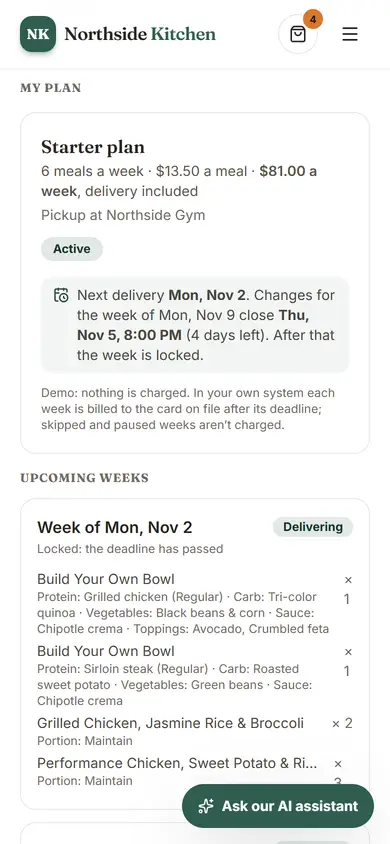
After their first order, customers are offered to add your store to their home screen. It opens like an app, with your name and icon, and loads fast on repeat visits. On iPhone the two steps are shown (Share, then Add to Home Screen), since Safari has no install button. There is no app store to go through, and checkout always needs a connection.

A customer's plan page on a phone
Built for phones: the plan page on a small screen.

What is included, and in which plan

Each plan includes everything in the plans before it.

  • Spanish

    An English | Spanish switch on the store and in the admin.

    In Basic and above
  • Installable app

    Customers can add the store to their phone's home screen.

    In Basic and above

How it helps you grow

  • Reach customers who prefer Spanish

    They get the whole store in their language without a second website for you to maintain.

  • More repeat orders, with less effort for the customer

    A home-screen icon with your name on it is one tap from the menu, which makes coming back easier.

  • No app store

    Customers install from the browser, so there is nothing to submit, approve or keep updated in an app store.

Try it in the demo

These links open the exact screens in the live demo, in a new tab. Nothing in the demo is real: no payments, no emails, no customers.

Admin links ask you to click Sign In once. The demo fills in the sample login for you.

Questions owners ask

What is available in both languages?

The storefront, the admin area and the billing-change emails to customers. The meal names and descriptions you enter stay as you write them; tell us if you want them in both languages.

Do my customers need an app store?

No. They add your store to their phone's home screen from the browser. It opens like an app with your name and icon.

Does ordering work without a connection?

The store loads fast on repeat visits, but checkout always needs a connection.

Why does Spanish start switched off on a new store?

So you decide when it goes live. The store opens in English with no EN | ES switch until you turn Spanish on in Settings > Features.

Related features

  • AI tools

    A customer chat assistant with a Conversations page, food photo styling, and Trend Finder for new meal ideas.

  • Subscriptions and recurring revenue

    Weekly plans customers manage themselves: skip, pause, swap or cancel, billed every week.

  • Getting started

    Done-for-you setup, moving your customers over, and owning your data, domain and Stripe account.

All features →

Want to see it with your menu?

We set it up for you and move your existing customers over. Call us or talk to Alex, and we will show you how it would work for your business. You can also read the demo guide first.