Bigger orders

Build-Your-Own Meals, Sizes, Add-Ons and Bundles

Let customers build a bowl with live macros, choose a size, add extras and buy packs, and set a minimum so every order is worth the trip.

The problem

My customers order the same two or three meals, and nobody tries the extras because they have to text me to ask. Meanwhile a small order that needs a delivery trip barely pays for the gas.

I want people to build exactly what they want, see the price and macros as they go, and spend a little more each time.

How it works

Real screens from the live demo, with sample data only.

What your customer sees

Build your own meal, with macros that add up as they choose

Customers pick a protein (a regular or double portion), a carb, one or two vegetables, a sauce and toppings. As they pick, the price, calories, protein, carbs and fat add up, along with the allergens of what they chose. If they filtered out an allergen on the menu, the choices that contain it are hidden here too.
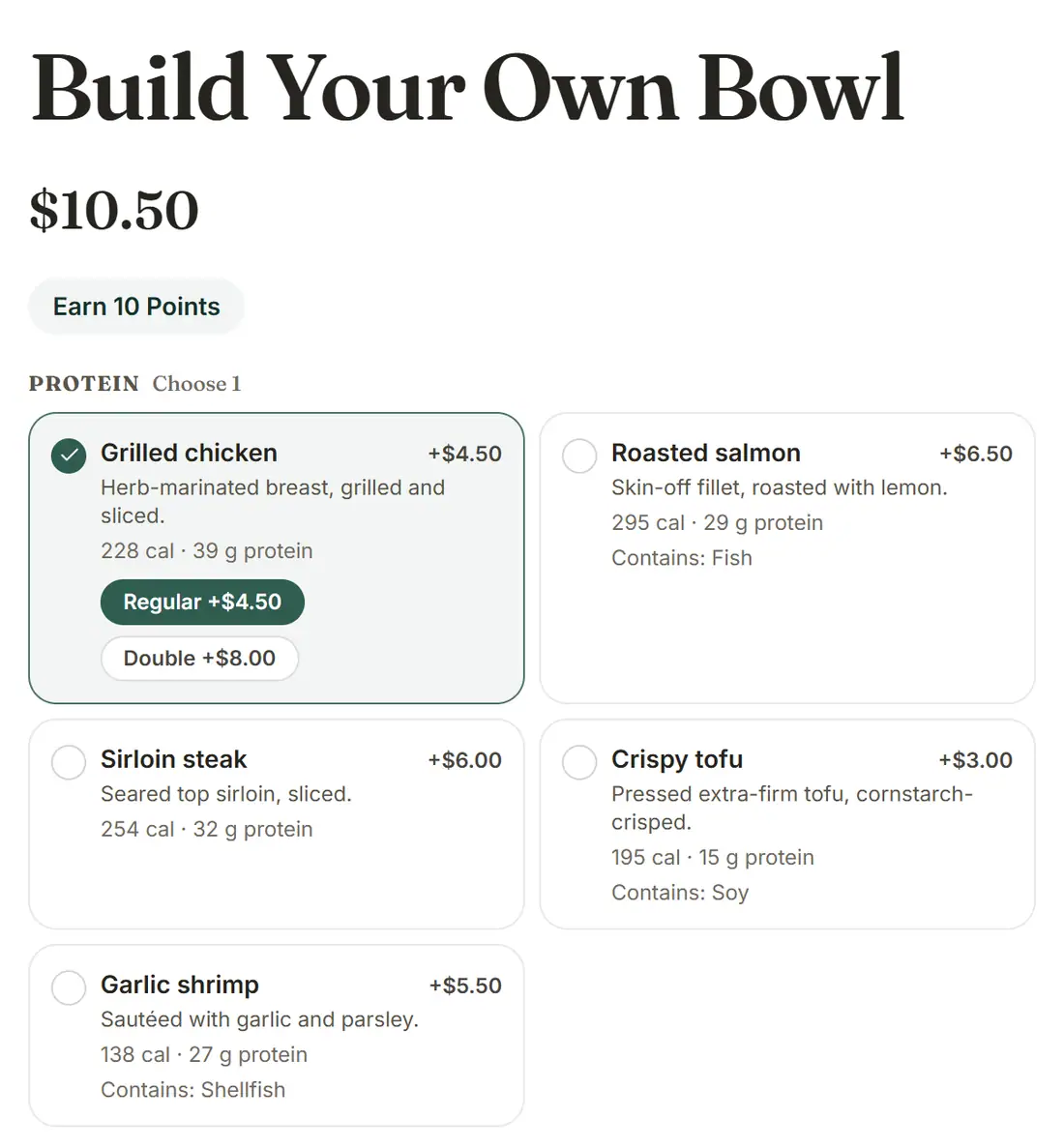
The Build Your Own Bowl page with protein choices, portion sizes and a running price
Build Your Own Bowl on the demo storefront.

What your customer sees

Sizes and add-ons

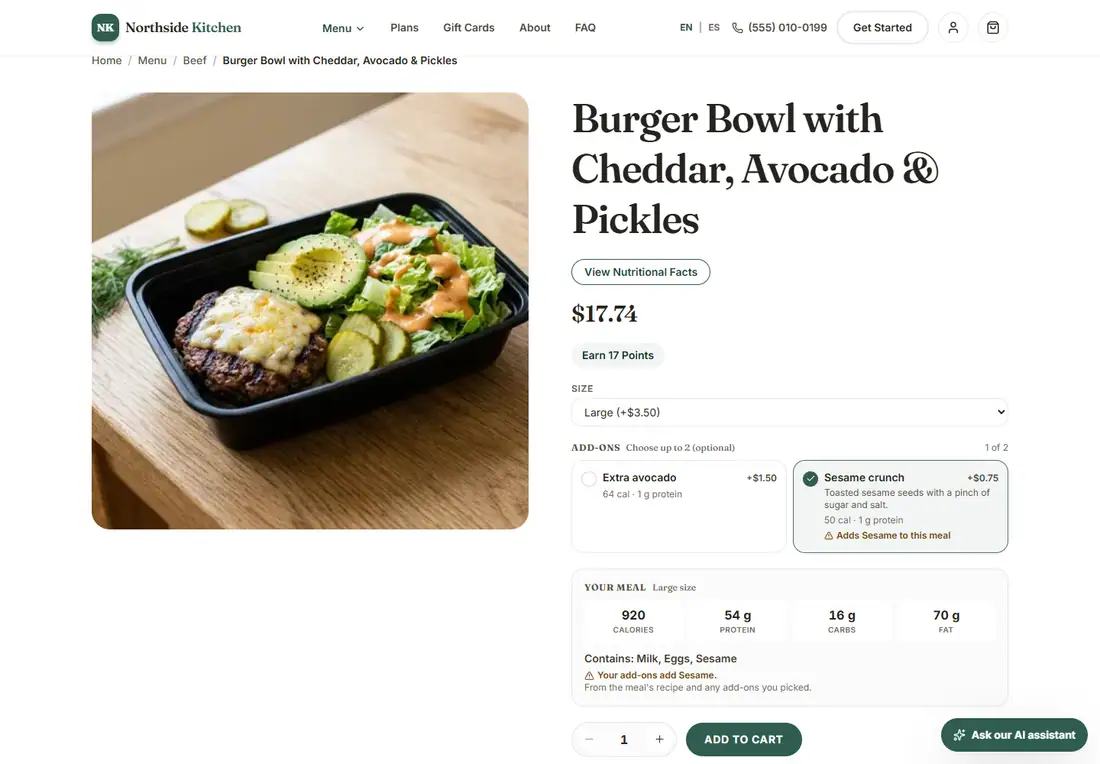
On a meal that comes in sizes, the customer chooses a size and ticks up to two add-ons. The price and nutrition change before it goes in the cart. An add-on that brings an allergen the meal does not have says so there, again in the cart, at checkout and on the label.

A meal page with a size selector and paid add-ons
A meal with sizes and add-ons.

What your customer sees

Packs of meals at their own price

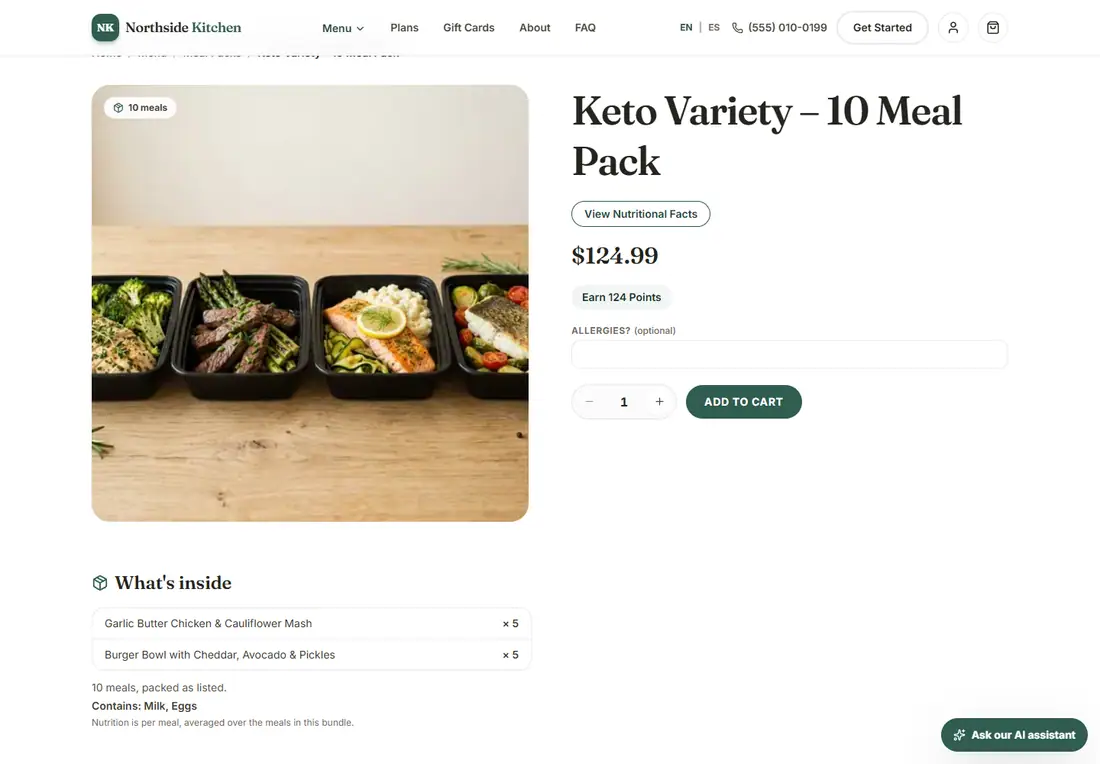
A bundle is a pack with a fixed list of meals, like a ten-meal variety pack. Its page shows what is inside, the allergens of every meal in it, and the nutrition per meal averaged over the pack.

A ten-meal variety pack page listing the meals inside
A meal pack and what is inside it.

What your customer sees

A minimum order, so each order is worth delivering

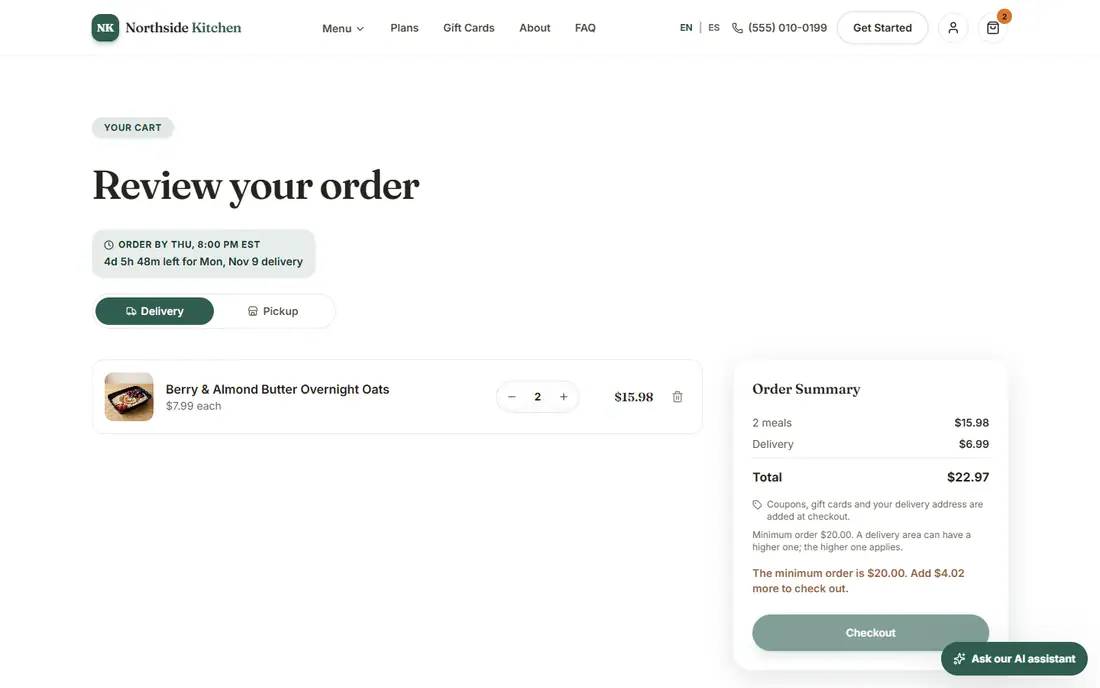
Set a minimum for the whole store, a higher one for a delivery zone (the higher one applies), or sell a meal a few at a time. The cart says what is missing and holds checkout until the minimum is met.

The cart showing the minimum order message
The cart explains what is missing.

What you see in the admin

You set the rules, and the kitchen gets exact combinations

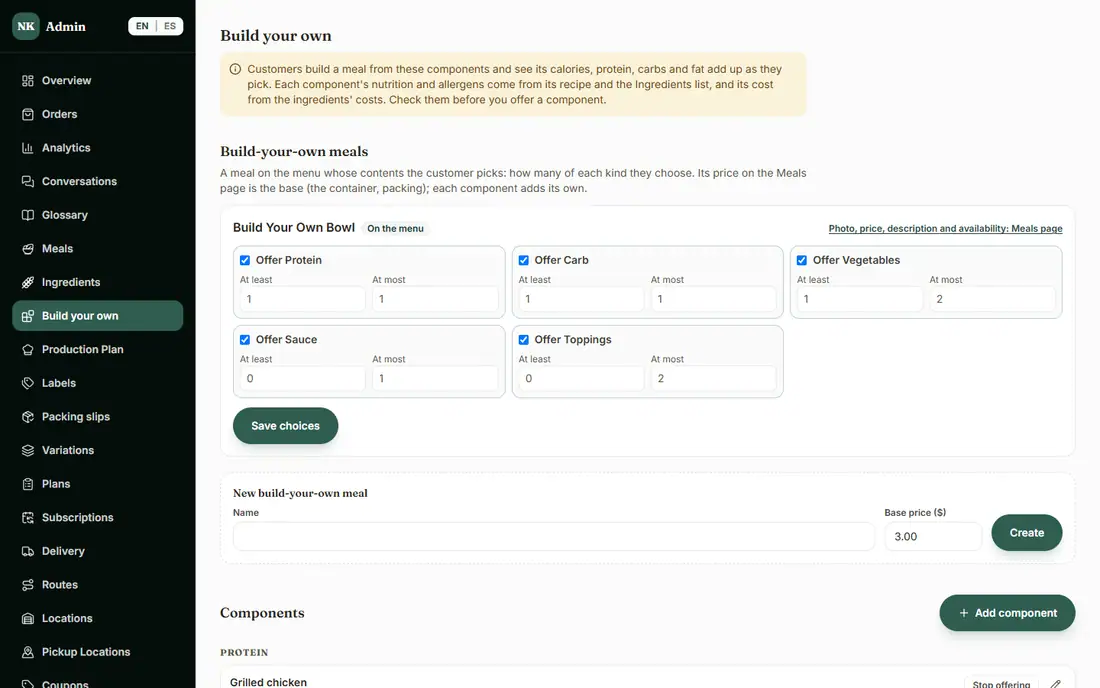
On the Build your own page you set how many of each kind a customer picks, and add the components with their sizes, the price each adds and its recipe. Calories, macros and allergens come from the recipe and your Ingredients list. The kitchen sees each combination on the Production Plan, the labels and the packing slips.

The admin Build your own page with the choices and rules
Build-your-own rules in the admin.

What is included, and in which plan

Each plan includes everything in the plans before it.

  • Order minimums

    A minimum order total and minimum quantities per meal.

    In Basic and above
  • Build your own

    Customers build a meal from proteins, carbs, vegetables and sauces.

    In Advanced and above
  • Sizes and add-ons

    Meal sizes and paid extras on any meal.

    In Advanced and above
  • Bundles

    Sell several meals together at one price.

    In Advanced and above

How it helps you grow

  • Higher order value

    Sizes, add-ons and packs let a customer spend a little more each time, on meals they already like.

  • Fewer orders that cost more to deliver than they earn

    A minimum order, by store or by delivery zone, keeps very small orders from eating your margin.

  • Less back-and-forth

    Customers customize on their own and see the price and nutrition right away, and you get an exact list instead of a text thread.

Try it in the demo

These links open the exact screens in the live demo, in a new tab. Nothing in the demo is real: no payments, no emails, no customers.

Admin links ask you to click Sign In once. The demo fills in the sample login for you.

Questions owners ask

Does my kitchen see exactly what each customer built?

Yes. Each combination, size and add-on appears on the Production Plan, the labels and the packing slips, and the Variations page counts how many of each size, add-on and component were ordered for a delivery week.

Do allergens and nutrition update when a customer builds a meal?

Yes. The totals and the allergens come from the recipe and your Ingredients list, so check those before you offer a component. They update as the customer chooses, and an add-on that brings a new allergen says so.

Can weekly plans use sizes and add-ons?

No. Weekly plans take each meal's standard size without add-ons. Sizes and add-ons are for one-off orders.

Does the minimum order apply to pickup too?

The store minimum applies to every order, pickup included. A delivery zone can have a higher minimum, and then the higher one applies. Weekly plans are not affected.

Related features

  • Kitchen operations

    Production plan, prep and shopping lists, inventory, ingredient costs and suppliers, and more than one kitchen.

  • Labels and use-by dates

    Printable labels with nutrition facts, ingredients, allergens and use-by dates, from your own menu data.

  • Subscriptions and recurring revenue

    Weekly plans customers manage themselves: skip, pause, swap or cancel, billed every week.

All features →

Want to see it with your menu?

We set it up for you and move your existing customers over. Call us or talk to Alex, and we will show you how it would work for your business. You can also read the demo guide first.